
Bosch Dishwasher WiFi
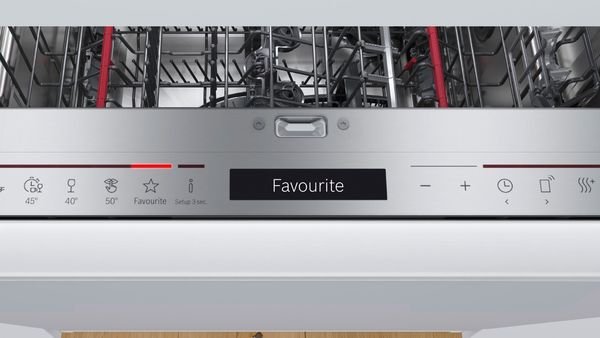
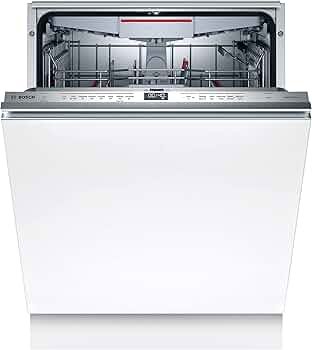
Bosch dishwasher WiFi allows smart control through the Home Connect system, enabling remote monitoring, cycle control, and notifications via your smartphone.
Read More: Bosch Dishwasher Temperature Guide (2026)
Core Concepts of Bosch Dishwasher WiFi
| Feature | What It Does | Benefit |
| Remote Start | Start the dishwasher from the phone | Convenience |
| Cycle Monitoring | Track wash status live | Time saving |
| Smart Notifications | Alerts when the cycle ends | Better control |
| Energy Tracking | Monitor usage | Efficiency |
| Voice Control | Works with Alexa/Google | Hands-free use |
Bosch Dishwasher WiFi Setup (Step-by-Step)
- Download the Home Connect app
- Turn on dishwasher WiFi mode
- Scan the appliance QR code
- Connect to home WiFi (2.4 GHz required)
- Confirm pairing in the app
Bosch Dishwasher WiFi Requirements
| Requirement | Details |
| WiFi Band | 2.4 GHz only |
| App Needed | Home Connect |
| Account | Required (free) |
| Router | Stable internet connection |
| Device | Smartphone or tablet |
Bosch Dishwasher WiFi Features Explained
1. Remote Control
Start or pause cycles from anywhere.
2. Smart Scheduling
Set wash cycles during off-peak energy hours.
3. Push Notifications
Get alerts when detergent is low or cycle ends.
4. Smart Home Integration
Works with Alexa & Google Assistant.
Bosch Dishwasher WiFi Troubleshooting
| Problem | Cause | Solution |
| Won’t connect | Wrong WiFi band | Switch to 2.4 GHz |
| App not pairing | QR scan issue | Reset network settings |
| Offline device | Weak signal | Move the router closer |
| Login error | Account mismatch | Re-login Home Connect |
Bosch Dishwasher WiFi Not Working Fix
- Restart the router and dishwasher
- Reset the WiFi module
- Reinstall the Home Connect app
- Check firmware updates
- Ensure correct region settings
Bosch Dishwasher WiFi Benefits
- Saves time with a remote control
- Improves energy efficiency
- Reduces manual monitoring
- Enhances smart home integration
- Provides real-time updates
Bosch Dishwasher WiFi vs Non-WiFi Models
| Feature | WiFi Model | Non-WiFi Model |
| Remote control | ✔ | ✖ |
| App monitoring | ✔ | ✖ |
| Smart alerts | ✔ | ✖ |
| Automation | ✔ | ✖ |
FAQs
What is the Bosch dishwasher WiFi used for?
It allows remote control, monitoring, and smart notifications through the Home Connect app.
Do all Bosch dishwashers have WiFi?
No, only select smart-enabled Bosch models include WiFi connectivity.
Why won’t my Bosch dishwasher connect to WiFi?
Usually due to using 5 GHz instead of 2.4 GHz or incorrect app pairing steps.
Is Bosch Home Connect free?
Yes, the Home Connect app is free to download and use.
Bottom Line
Bosch WiFi dishwashers are a convenience upgrade, not a cleaning upgrade. If you value automation and smart home control, it’s worth it. If not, a non-WiFi Bosch model performs just as well for less complexity.